
Creating a productive and pleasant workspace doesn’t always mean a full makeover or spending hours organizing. Sometimes, all it takes is ten focused minutes to refresh your environment and energize your workday. Whether you work from home or an office, a quick workspace refresh can enhance concentration, reduce stress, and inspire creativity.
In this post, we’ll guide you through easy steps to revitalize your workspace quickly, helping you feel more comfortable and motivated in no time.
Why Refresh Your Workspace?
A cluttered or uninspiring workspace can lead to distractions and decreased efficiency. On the other hand, a clean and inviting area can improve your focus and general well-being. Refreshing your space regularly keeps your environment functional and welcoming, important for both mental clarity and physical comfort.
Even a short refresh can:
– Clear your mind along with your desk
– Improve ergonomics and comfort
– Boost your mood and motivation
– Help you find important items faster
Prepare for Your Ten-Minute Refresh
To get the most out of your quick refresh, set a timer for ten minutes and gather any cleaning supplies you might need, such as wipes, a small cloth, or a trash bin nearby. Stay focused on the task during this brief session to maximize results.
—
Step 1: Clear the Clutter (3 minutes)
Begin by quickly removing any items that don’t belong on your desk or workspace. This includes:
– Empty wrappers, trash, or old papers
– Unused or unrelated gadgets and items
– Coffee cups or water bottles
Put items back in their proper places or toss those you no longer need. Clearing the surface of your desk instantly makes your space look neater and opens up room to work.
—
Step 2: Wipe Down Surfaces (2 minutes)
After clearing clutter, take a moment to clean your desk and workstation surfaces:
– Use disinfecting wipes or a damp cloth to wipe your desktop, keyboard, and mouse
– Clean your monitor screen gently with a microfiber cloth if needed
– Sanitize any frequently touched objects such as phone or tablet
A quick clean helps reduce germs and dust while also giving your workspace a fresh, inviting feel.
—
Step 3: Organize Essentials (3 minutes)
Now focus on rearranging or organizing your essential items to improve accessibility:
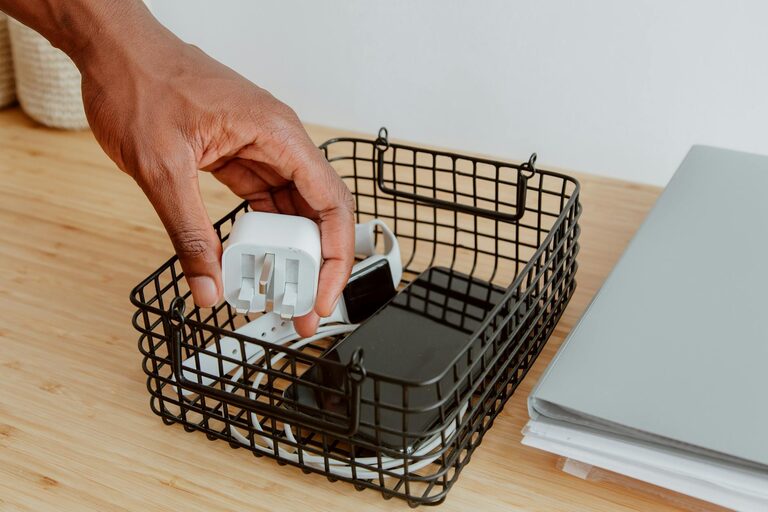
– Gather pens, notebooks, chargers, and frequently used tools
– Use containers, trays, or small organizers if available
– Align your monitor and keyboard for ergonomic comfort
– Adjust your chair height and placement for better posture
Organizing your essentials keeps your workspace efficient and reduces the frustration of searching for needed items.
—
Step 4: Add a Touch of Inspiration (2 minutes)
Finally, personalize your workspace with something that uplifts you:
– Place a small plant or fresh flowers on your desk
– Add a favorite photo, inspirational quote, or artwork
– Open a window or adjust lighting for natural brightness
These small touches contribute to a positive atmosphere and keep you motivated throughout the day.
—
Bonus Tips for Maintaining a Fresh Workspace
– Schedule brief tidying breaks daily to avoid build-up
– Limit the number of items on your desk to essentials only
– Use cable organizers to keep wires neat and out of sight
– Incorporate regular stretching and posture checks during your workday
—
Conclusion
Refreshing your workspace doesn’t require a big commitment. With just ten minutes, you can clear clutter, clean, organize, and personalize your area to create an environment that supports productivity and well-being. Try these simple steps daily or weekly to keep your workspace inviting and your mind focused.
Take a moment now—set your timer and give your workspace a quick refresh. You’ll feel better and ready to tackle your tasks with renewed energy!